
Browse articles
- Practice details
- Brand your documents: logo, fonts, colours and artwork
- Project numbering
- Custom fields
- Task statuses
- Task types
- Adding an office
- Office billing details
- Give your people a home entity
- How permissions work
- Setting someone's access level
- Practice finances access
- Rates access
- Access to one project
- Project role access
- Project admin access
- Team role access
- What each access switch controls
- Contacts access
- Project creation access
- Expense claims access
- Report access
- Staff management access
- Sign-in security
- Verify your sending domain
- Activity and undo
- Connect your own AI agent
- Moving and linking stages
- Critical path and automatic dates
- Large projects
- How do I move a task to another stage?
- Billing milestones
- Checklists and notes
- Your projects
- Tracking schedule slips
- How do I change a project's status?
- How do I rename a project?
- Closing a project
- How do I archive or complete a project?
Access to one project
Give one person a deliberate project access level, then preview exactly what that grant allows.
What you'll achieve
Grant a person access to one project and verify the result before they begin work.
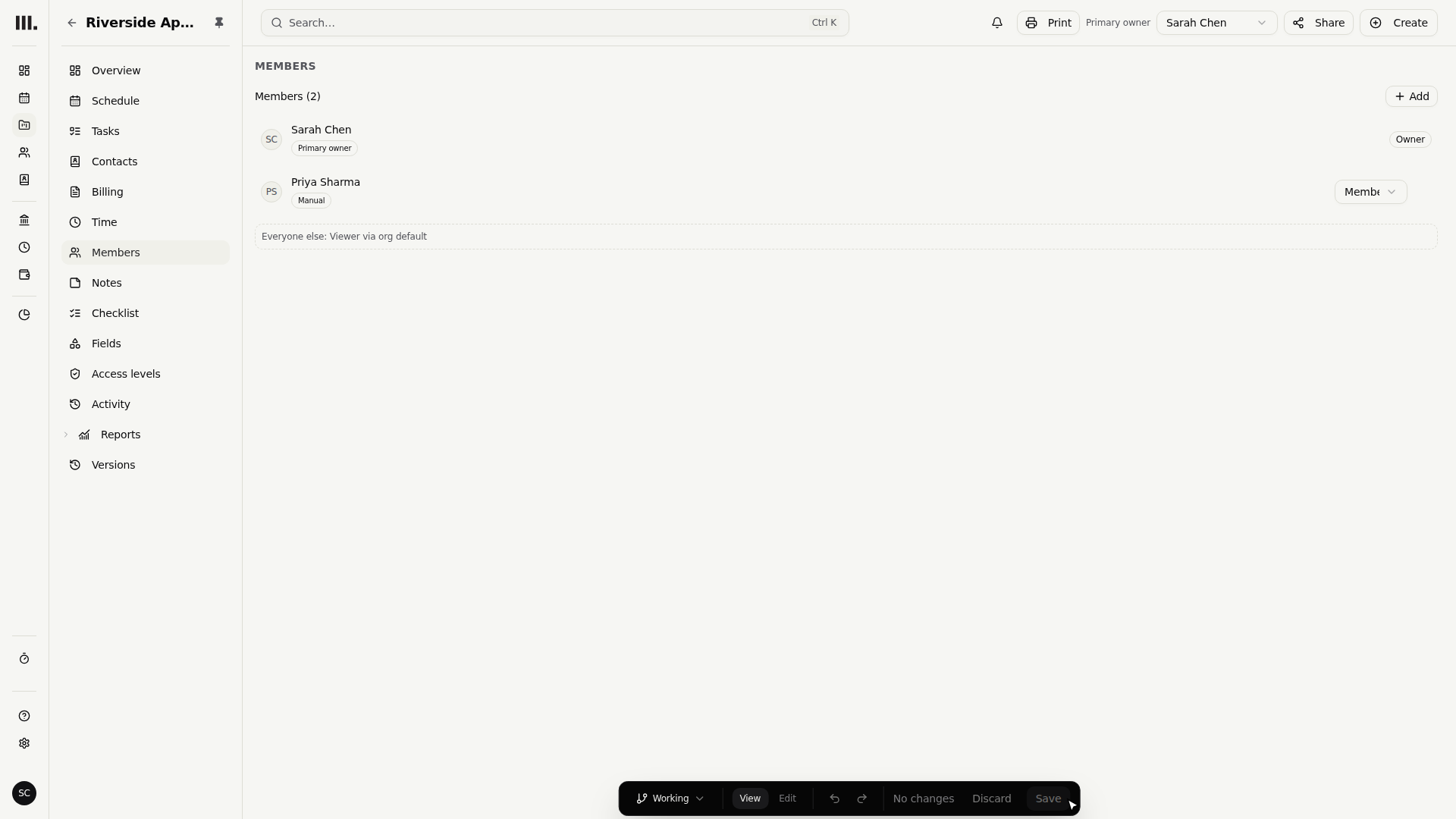
You'll end up with: Priya Sharma has a manual Member grant on Riverside Apartments and can edit its tasks without seeing project finances.
Before you start
A project grant answers two questions
Project row admission and project capability are related, but they are not the same. A person first needs a reason to enter a project. Once admitted, their project access level decides what they can do with Revenue, Expenses, Tasks, Resources, and Time.
Add person in the project Brief's Access section creates the most deliberate kind of access: a grant by name. It wins over ownership, matching rules, allocations, and the all-project Viewer floor at the same task. The row sits under Given on this project, labelled By name, so an administrator can see that provenance later.
Assign Member to Priya Sharma
The example keeps Priya Sharma on the Team member account level. No account switch changes tasks, people or time on every project, so the result comes from the Riverside Apartments grant.
- 1
Open Priya Sharma's Access tab and save Team member.
- 2
Open Riverside Apartments, choose Brief and its Access section, click Add person, and pick Priya Sharma.
- 3
Choose Member, then click Save to keep this manual grant.
- 4
Return to Team › Team members and click Preview on Priya Sharma's row.
- 5
Open Riverside Apartments from Schedule and confirm Revenue and Expenses are absent while task editing remains available.
You can also manage project access from the schedule item panel's People tab. Brief › Access is the clearest path for a named person because it shows both the selected level and its provenance.
Preview uses Priya Sharma's server-resolved permissions for reads and blocks every mutation. Click Exit on the preview banner before making another administrative change.
The four project levels
| Level | Revenue and Expenses | Tasks | Resources and Time | Suits |
|---|---|---|---|---|
| Owner | Edit | Edit | Edit | The project director, who runs the job and its money |
| Manager | View | Edit | Edit | A project lead who plans and staffs the job |
| Member | Hidden | Edit | View | Someone who delivers the work |
| Viewer | Hidden | View | View | Someone who only needs to read it |
Hidden figures are absent or shown as a dash. They are never replaced with a zero amount. Project role access compares all four roles side by side, with their switches.
Troubleshooting
- Priya cannot see Riverside Apartments. Confirm her row is present in Brief › Access, under Given on this project, and labelled By name.
- Financial figures are visible unexpectedly. Check the selected project level and whether another manual grant applies higher in the project tree.
- A removed grant seems to remain. Ownership, a matching people rule, an allocation, or the all-project Viewer floor may still admit the person.
Where this fits next
Next, give a team lead their team.
Related articles
Search Monument help
Search help articles and open a result.